Relay · walkthrough
The full flow, step by step
Every image below is a real capture of this deployment running against the real Government of Canada open procurement data. Each step links to the live page it shows, so you can repeat it yourself.
Resolve → Issue → Verify → Embed, then the supplier’s own sign-in, search, and claim. Back to the landing page
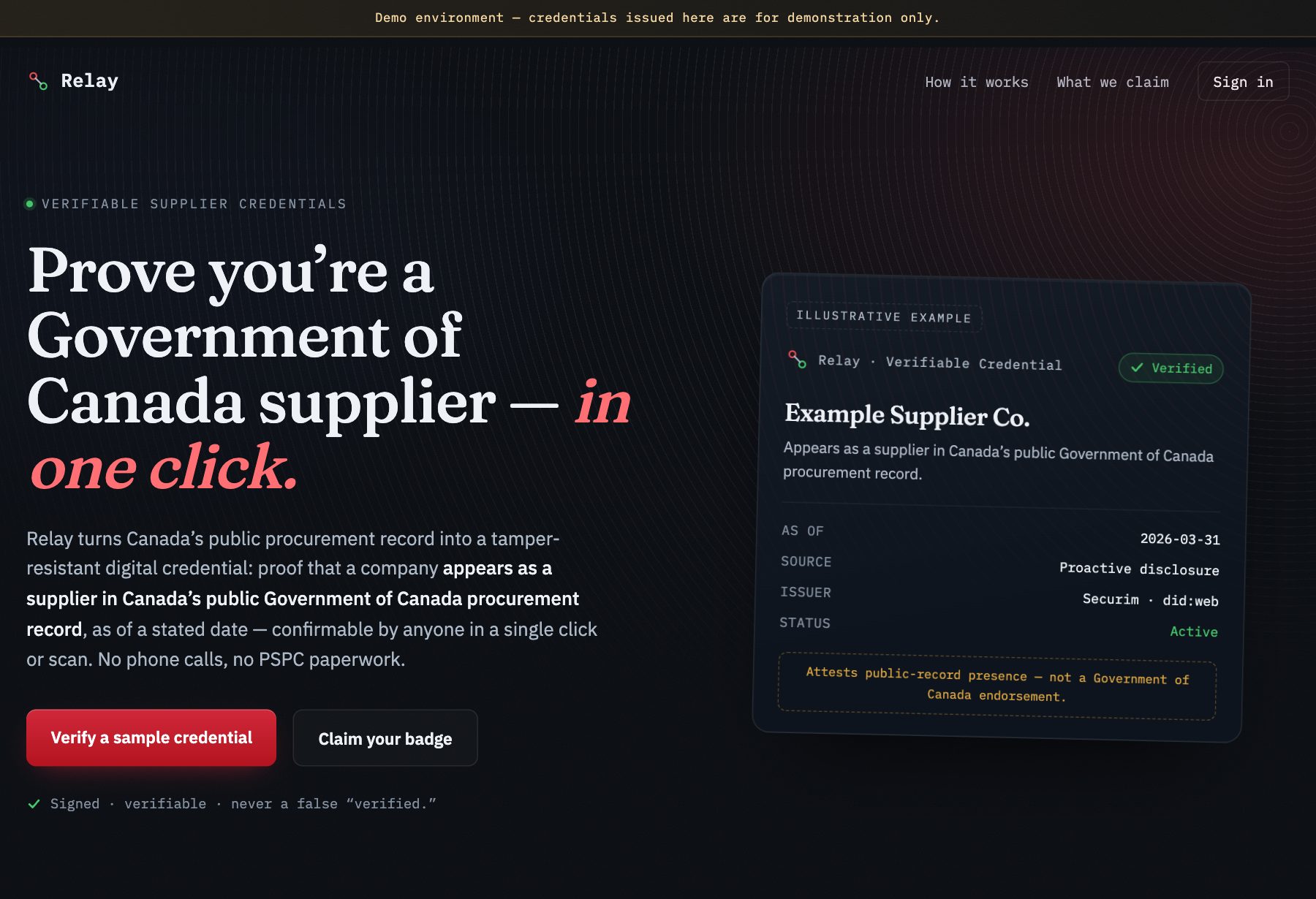
The public front door
Relay states exactly what a credential claims and what it does not: presence in Government of Canada public procurement records, as of a stated date, verified by Securim as issuer-of-record. Not an endorsement.
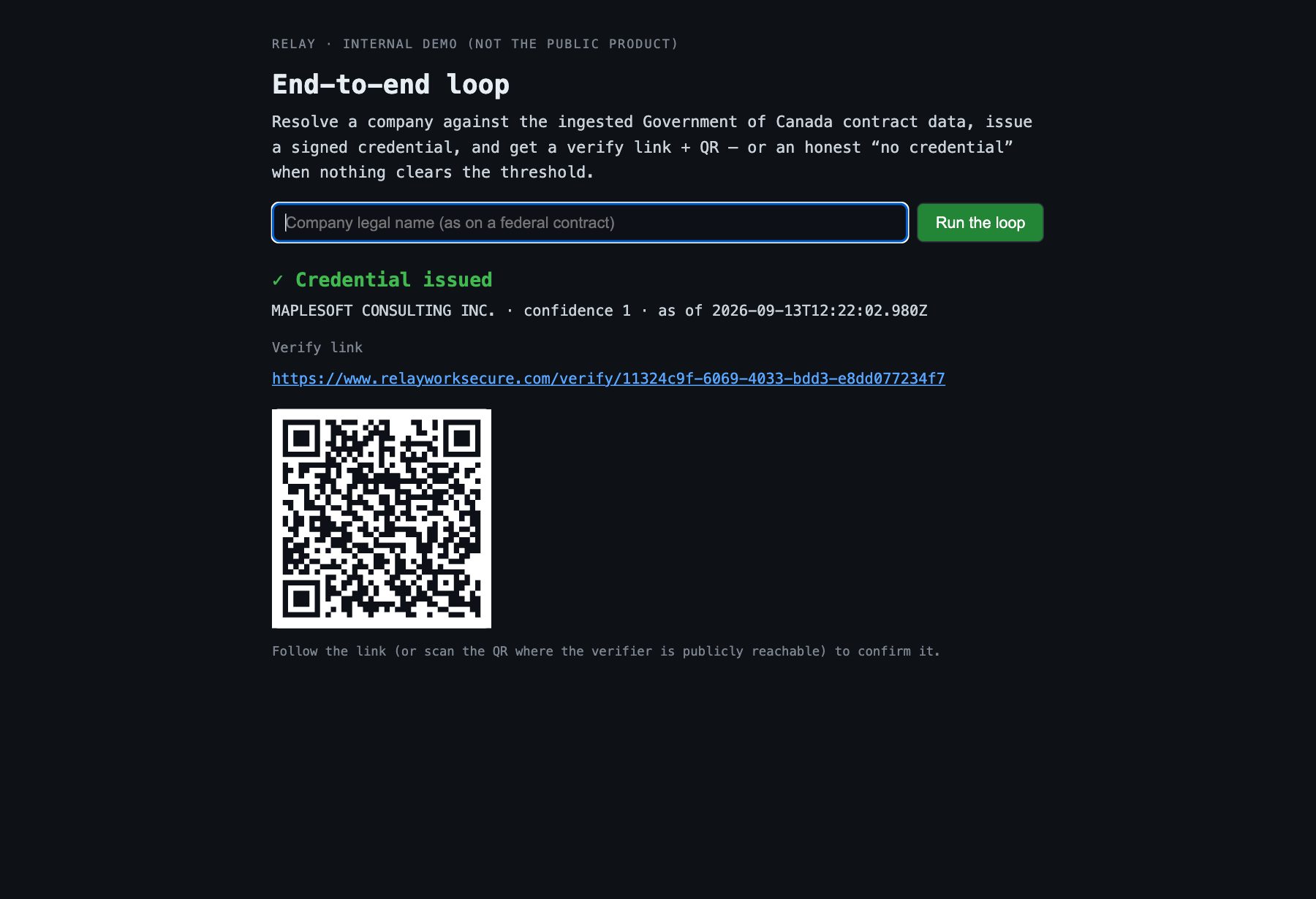
Resolve and issue in one step
A company name goes in. The resolver searches 1.29 million Proactive Publication of Contracts rows plus the Standing Offers and Supply Arrangements data, scores the best candidate, and only if it clears the 0.92 confidence gate does the issuer mint a signed W3C Verifiable Credential and hand back a verify link and QR. A weak match returns an honest “no credential” instead — try a made-up name and watch it refuse.
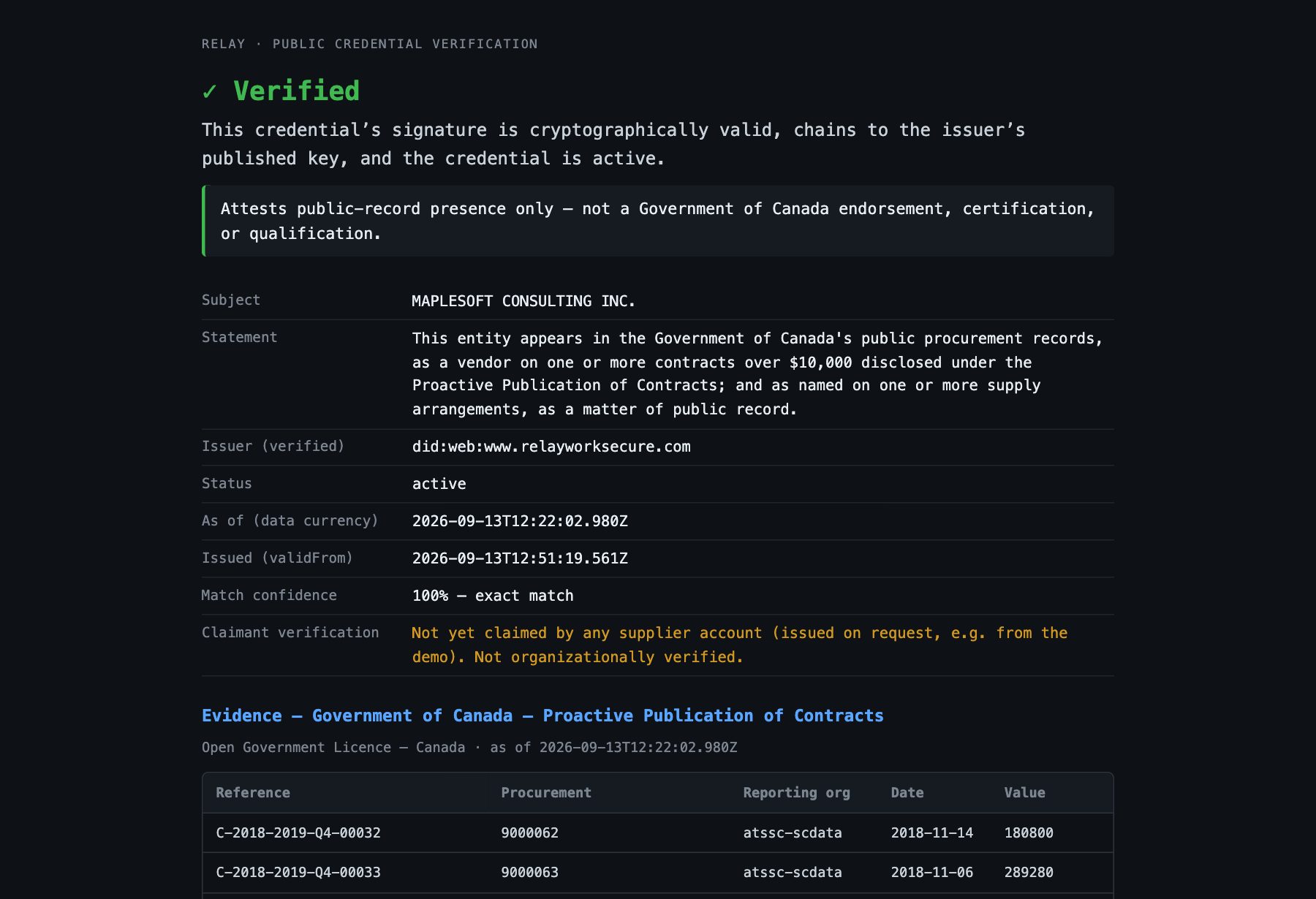
Anyone verifies it in one click
The public verify page checks the signature, resolves the issuer’s key from its did:web document, and reads the Bitstring Status List for revocation — live, on every load. Below the verdict is the evidence: the actual PSPC reference numbers, reporting organizations, dates, and values the credential is based on, with the dataset, licence, and as-of date. At this point nobody has claimed it yet, and the “Claimant verification” row says exactly that.
The embeddable trust badge
A single line of HTML. The badge is rendered server-side on every request from the live verification result, so it can never show a stale green: revoke the credential and every badge on every site turns red within a minute. Only a signature-valid, active, named credential is ever green.

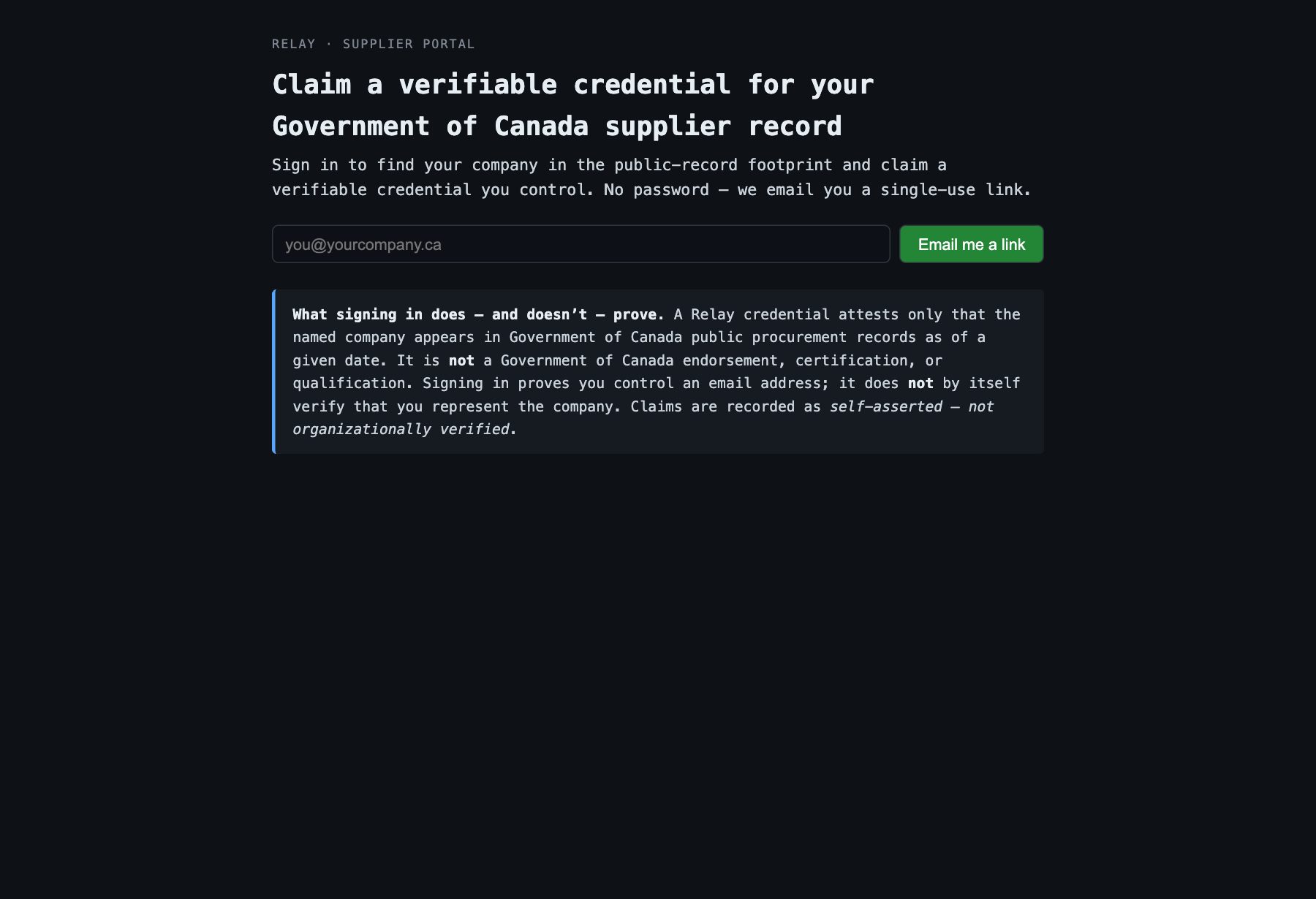
Suppliers sign in without a password
The supplier portal uses a single-use, 15-minute magic link. The link proves control of the mailbox, and that proof is what the claim provenance is built on in step 8.
Signed in
A fresh account has no credentials yet. This capture used a throwaway demo account at a reserved .test domain, deleted after the screenshots were taken.

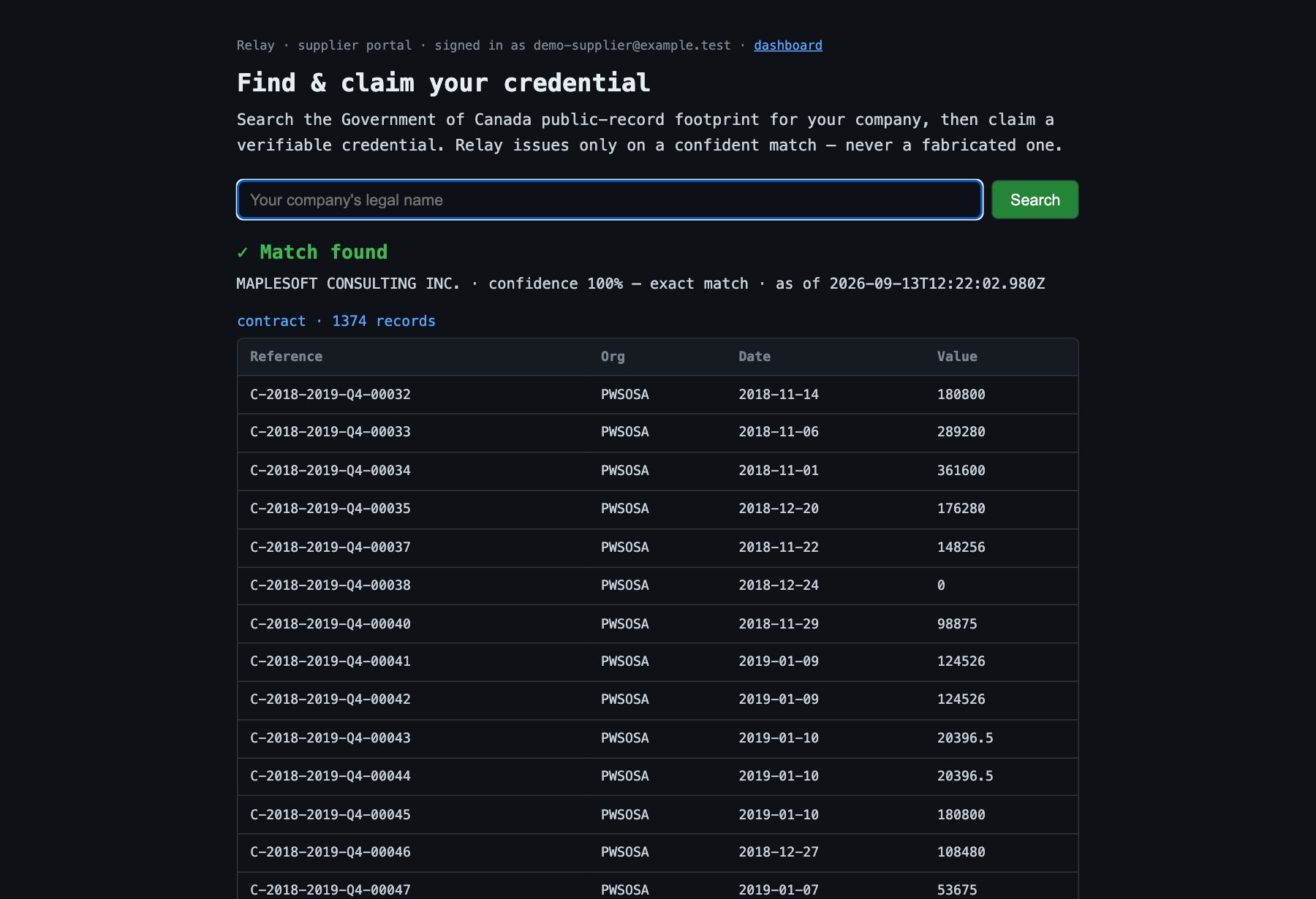
Search your company
The same resolver as the demo, with the evidence grouped by source. Maplesoft resolves at 100% with well over a thousand contract records plus its supply arrangements. The notice under the evidence says plainly how the claim will be recorded before the supplier clicks.
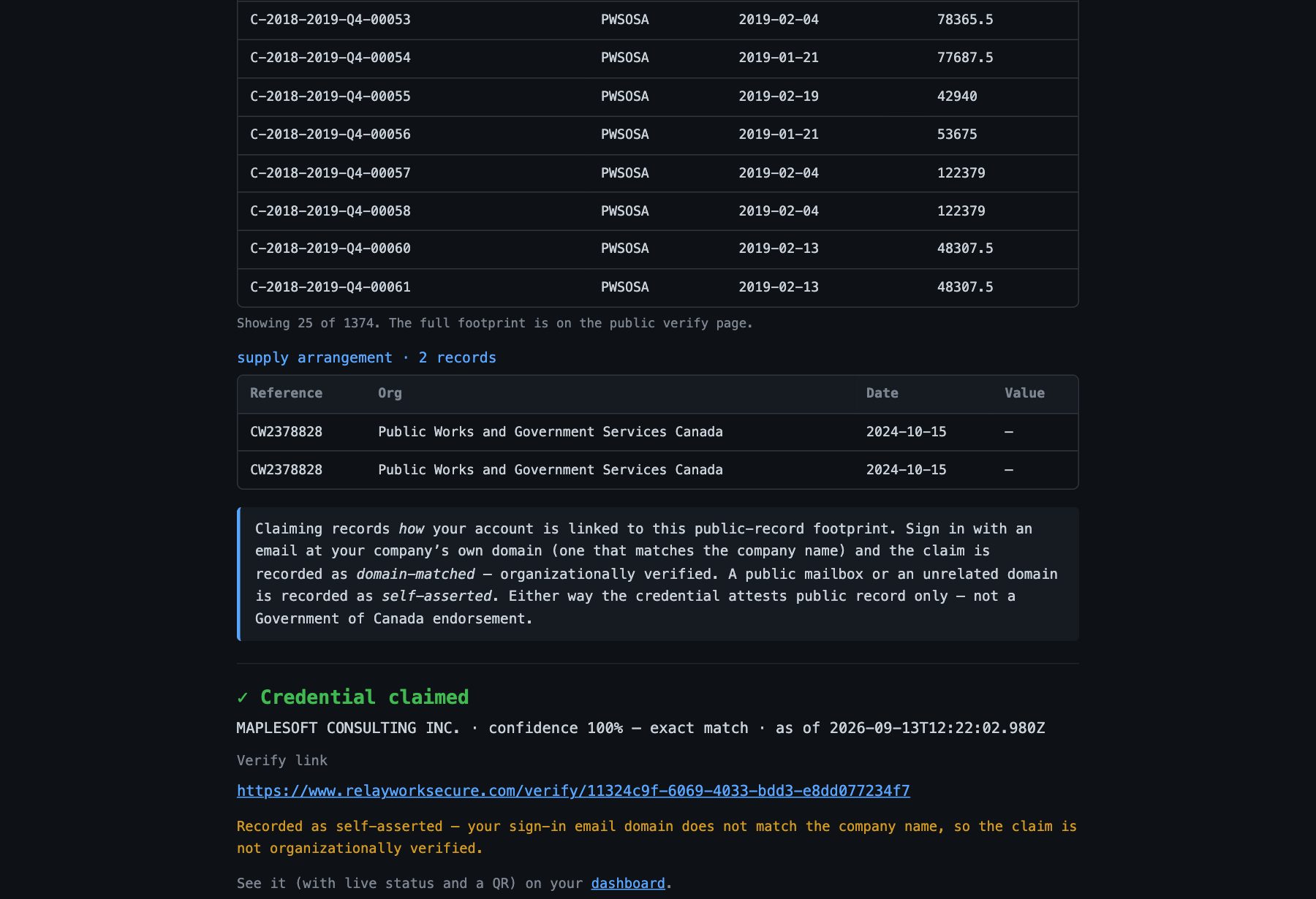
Claim it — and see how the claim was recorded
Relay records how the claimant was established. The demo account’s domain does not name Maplesoft, so this claim is honestly self-asserted. Had the supplier signed in from anyone@maplesoft.com, the same click would have recorded a domain-matched claim — organizationally verified, with the domain stored and shown publicly. A public mailbox such as gmail can never verify an organization.
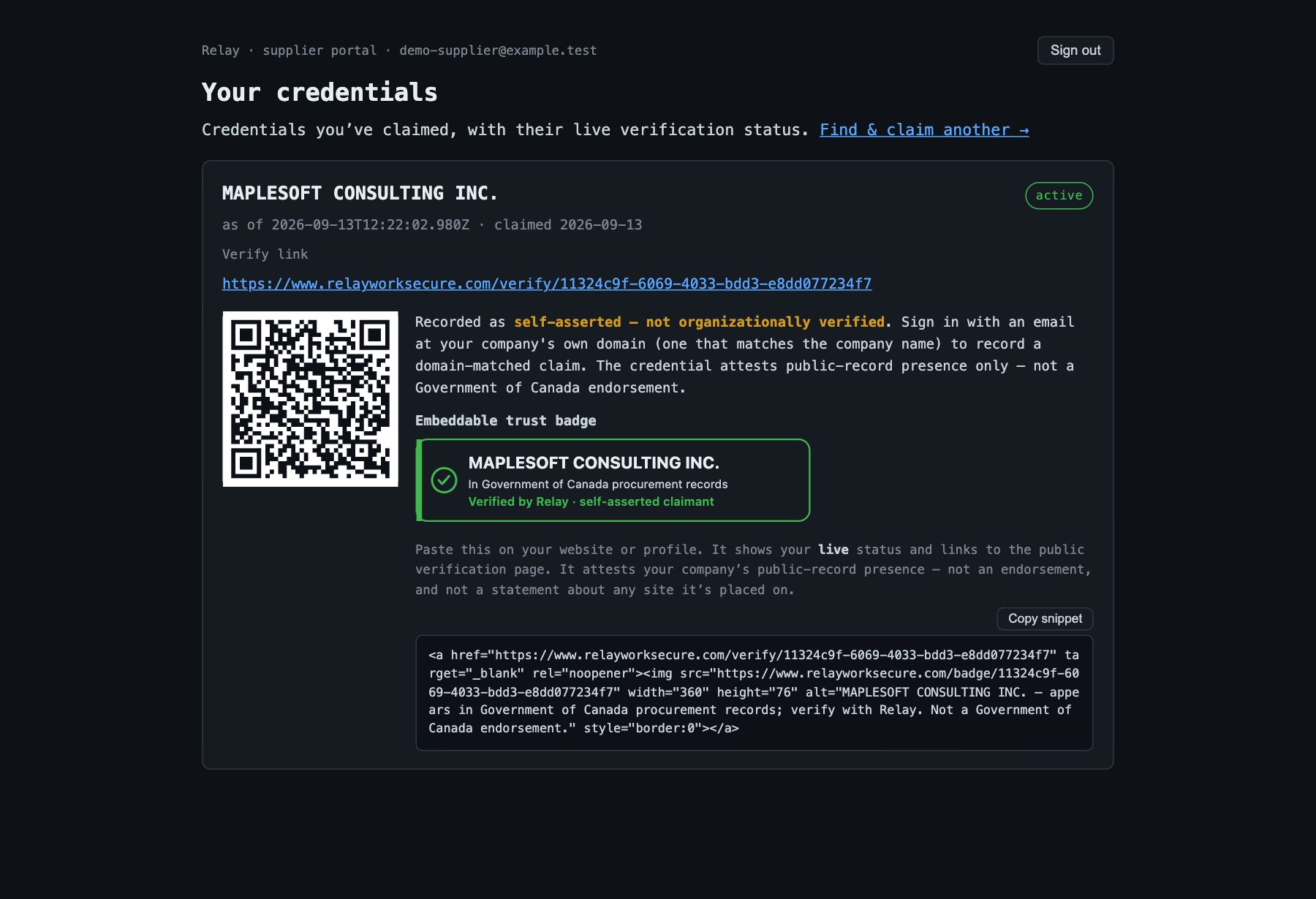
The supplier dashboard
Live status from the verifier (never a baked-in label), the verify link and QR, the provenance line, a preview of the badge exactly as the public endpoint serves it, and the copy-paste embed snippet.
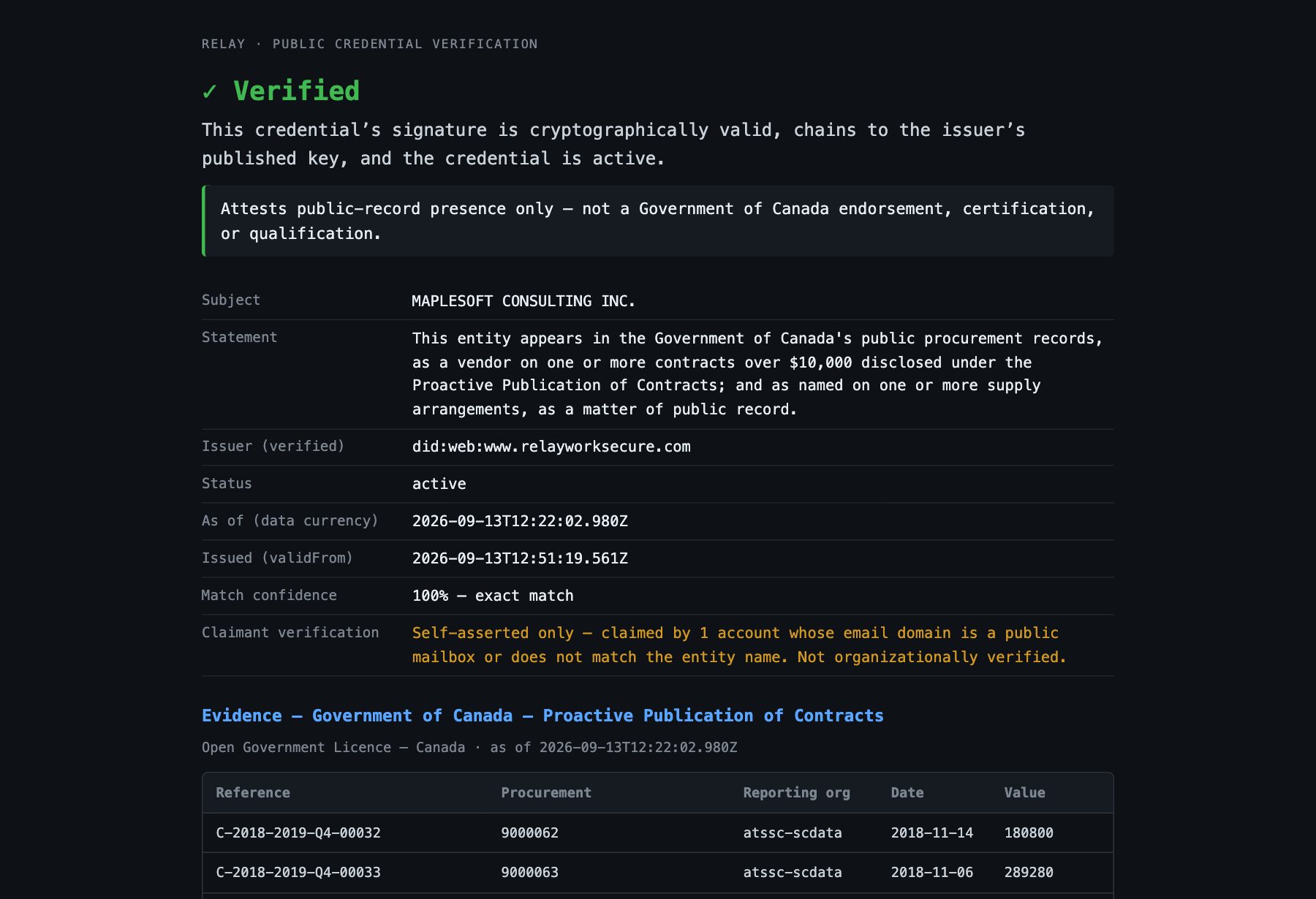
The public page shows the claimant provenance too
The “Claimant verification” row tells a verifier whether the badge they are looking at was claimed from a domain that names the company, from an unrelated or public mailbox, or not at all. The cryptographic verdict above it is computed independently; this row can add context but can never turn an unverified credential into a verified one.
What this proves, and what it doesn’t
A Relay credential proves that an entity appears in Government of Canada public procurement records as of a stated date, and a domain-matched claim proves the claimant controls a mailbox at a domain that names that entity. It is not a Government of Canada endorsement, certification, or statement of current standing, and the wording on every credential says so. The data is the official open data PSPC publishes under the Open Government Licence — Canada; a direct feed would make it fresher, not more correct.
Relay · Securim Inc. · Government of Canada public procurement data under the Open Government Licence – Canada.